Your first study
You work in a study. This is the shortest path from opening Merlin to a result you can read: ask a new question, save the people who answered a certain way, then ask them why.
- Ask a survey question
Put a question that isn't in the seed data to the whole population, and read the grade.
- Save an audience from the answers
Click the bars that interest you and save that group.
- Run a focus group
Talk to the new audience to find out why they answered that way.
When you open Merlin you land on Home. Type what you want to find out in What are you trying to discover?, or click New study in the sidebar. If Home has no dataset to pick, your account team still needs to assign seed data to you.
The study has two sides. Results accumulate on the right. On the left, the agent is where you steer in your own words.
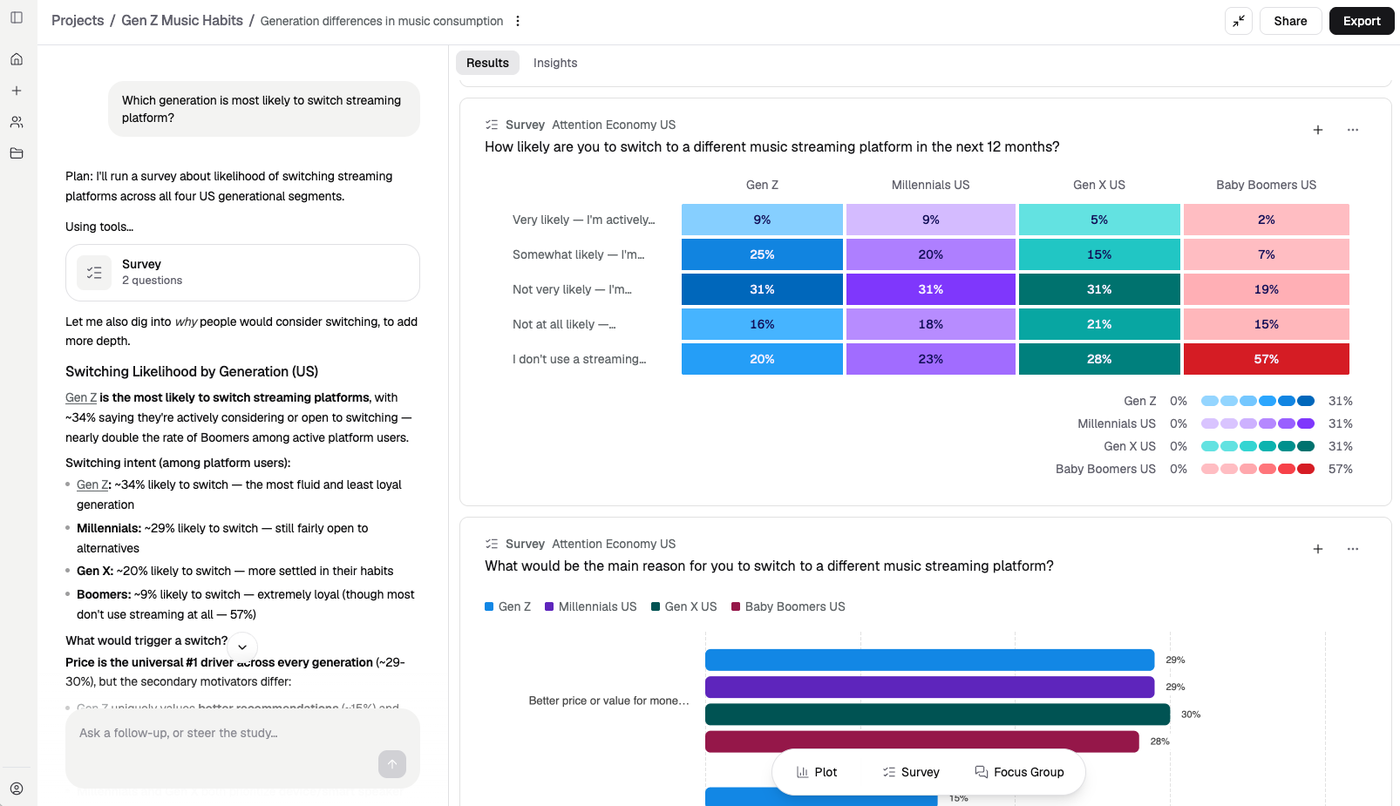
A study in progress. Results on the right; the agent on the left.
1. Ask a survey question
- Click Survey in the toolbar at the bottom of the study
- Leave the audience on the whole population for this first run
- Write a question and its answer options — something the seed data doesn't already contain, for example “Would you switch to a brand that better reflects your values?”
- Click Run survey
The result is a predicted distribution with an A / B / C confidence grade. Read the grade before you go further.
See Surveys for question types, stimuli and comparing audiences.
2. Save an audience from the answers
The interesting group is usually not everyone — it is the people who said yes, or strongly agree, or picked one option over the others.
- Click the answer choices you want on the survey card
- The Audience explorer opens on the right, showing the selection and how many respondents match
- Click Save audience
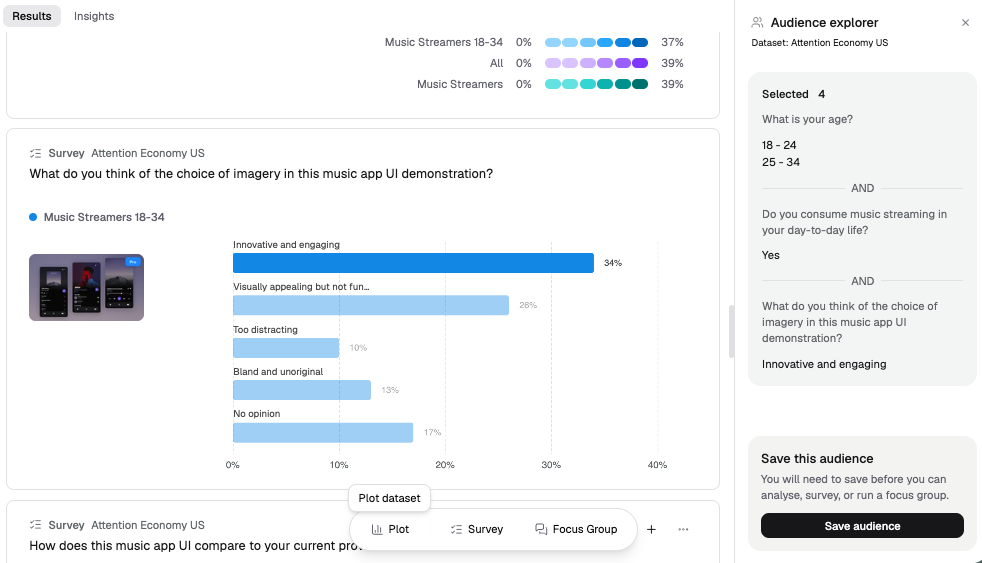
Click answers on a survey result to save that group as an audience.
See Audiences for the other ways to define a group.
3. Run a focus group on the new audience
A survey tells you what. A focus group is how you get the why from the people you just saved.
- Click Focus Group in the toolbar
- On Panel setup, choose the audience you just saved
- Click Recruit panel, check the five participants, then Start session
Ask them about the survey result — why they chose that answer, what would change their mind, what they didn't like. When you're finished, Done puts a summary on the study.
See Focus groups for the AI-moderated Debate option, and for how to swap participants before you start.
What good looks like
After one study you should have a survey result with a grade you can explain, a saved audience named after how they answered, and a focus group that tells you why that group looks the way it does.